How to Fix Broken Internal Links & Optimize Them for SEO
Broken internal links are one of the most overlooked yet highly damaging SEO issues that silently weaken a website’s performance. When users or search engine bots land on non-working internal URLs, it creates a broken navigation path that disrupts crawlability, reduces link equity flow, and weakens overall site authority.
In modern SEO, internal linking for SEO is not just a structural element; it is a ranking signal that influences how Google understands your content hierarchy.
If your website has frequent broken links, your internal linking strategy becomes ineffective, leading to lost rankings, poor indexing, and reduced conversions.
This guide explains how to fix broken internal links, how to perform internal linking analysis, and how SEO agencies like Guest Posting Solution help businesses strengthen their internal linking architecture for long-term organic growth.
What Are Broken Internal Links?
Broken internal links are hyperlinks that point to another page within your own website but lead to an error page (commonly a 404 page).
These occur due to:
- Deleted pages without redirects
- URL changes or slug updates
- Typing errors in links
- Site migration issues
- Restructuring content without updating internal links
According to SEO research, broken internal links disrupt how search engines crawl and understand your website structure, leading to indexing issues and loss of ranking signals. In simple SEO terms, a broken internal link = a dead pathway inside your website.
Why Are Broken Internal Links an SEO Issue?
Broken internal links are not just user experience problems; they directly affect rankings.
1. Crawlability and Indexing Problems
Search engines use internal links to crawl your website. Broken links interrupt this path, reducing indexing efficiency and visibility.
2. Loss of Link Equity
Internal links pass SEO value (link juice). When links break, this authority flow is lost, weakening important pages.
3. Poor User Experience
Users encountering 404 pages often leave the site, increasing bounce rate and reducing engagement signals.
4. Weak Internal Linking Strategy
A broken structure signals a poor internal linking strategy, reducing overall site trustworthiness in search engines.
According to SEO studies, broken links can significantly reduce organic performance when left unresolved.
How to Find Broken Internal Links (SEO Audit Workflow)
To effectively resolve broken internal links, the first step is conducting a structured internal linking analysis process as part of a broader SEO audit workflow. Identifying these issues early ensures better crawlability, improved link equity distribution, and a healthier site architecture.
A systematic approach using SEO tools and manual verification allows SEO professionals to accurately detect broken URLs, 404 errors, and structural linking issues that impact internal linking for SEO performance.
1. Use SEO Crawling Tools for Scalable Detection
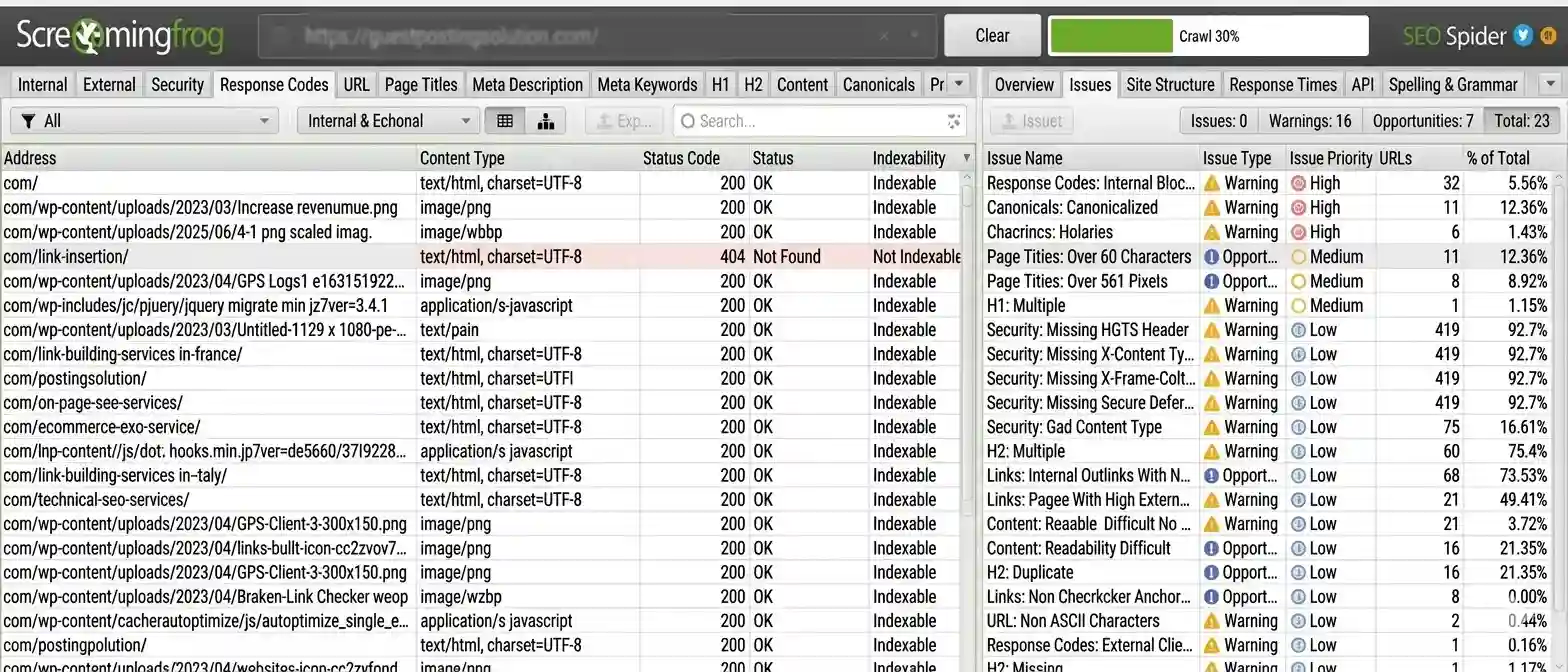
Professional SEO platforms are essential for identifying broken internal links across large websites with precision and efficiency.
Commonly used tools include:
- Screaming Frog SEO Spider
- Ahrefs Site Audit
- SEMrush Site Audit
- Sitebulb
These tools perform a full website crawl and automatically detect critical issues such as:
- 404 error pages (not found URLs)
- Redirect chains and loops
- Orphan pages with no internal links
- Broken anchor text links within content
By leveraging these tools, SEO teams can conduct a detailed internal linking analysis at scale, ensuring no structural issue goes unnoticed.
2. Google Search Console Analysis for Index-Level Insights
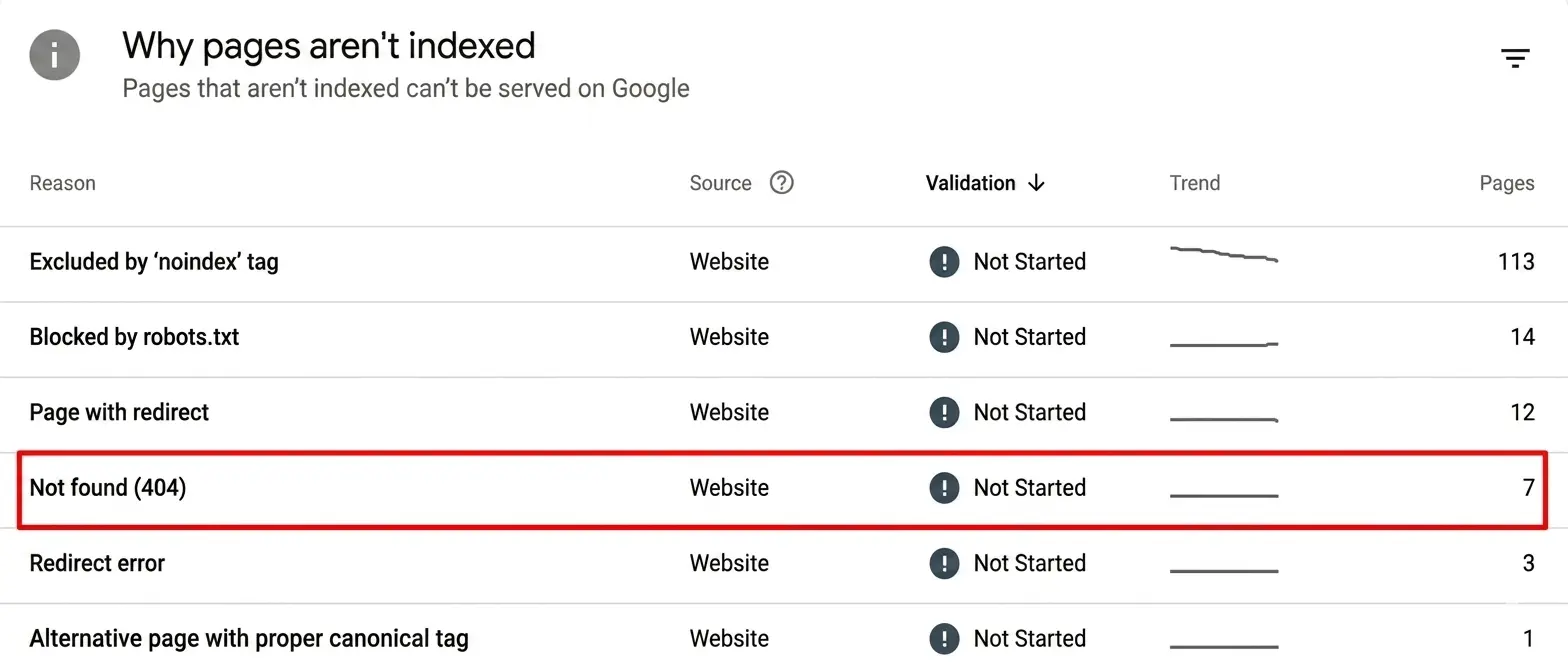
Google Search Console is a free yet powerful resource for detecting internal link-related errors from Google’s perspective.
It helps identify:
- Crawl errors affecting internal URLs
- Pages returning 404 or soft 404 status
- Index coverage issues caused by broken paths
This data provides direct insight into how search engines interpret your site structure, making it essential for validating internal linking strategy effectiveness.
3. Manual Internal Link Checks for Precision Validation
For smaller websites or targeted pages, manual verification remains a useful supplementary method.
This process includes:
- Reviewing navigation menus and header/footer links
- Checking blog-to-blog contextual internal links
- Testing high-priority landing pages for broken URLs
Manual checks ensure that key conversion pages and high-value content remain properly connected within your internal linking structure, especially after updates or redesigns.
4. Internal Linking Analysis Reports
Advanced SEO teams go beyond detection and focus on strategic internal linking analysis reports to improve overall site architecture and authority flow.
These reports help SEO professionals:
- Map internal link distribution across the entire website
- Identify weak or underlinked content clusters
- Detect orphan pages that lack internal connectivity
- Evaluate link equity flow between pillar pages and supporting content
This level of analysis ensures that the website maintains a strong internal linking for an SEO foundation, improving both crawl efficiency and topical authority.
For more useful insights, explore our other blog post, “Anchor Text in SEO: How It Works, Types, and Impact on Rankings”. Discover more to deepen your understanding.
How to Fix Broken Internal Links Without Hurting SEO
Finding a broken internal link is only half the job. You also need to choose the right fix.
The best solution depends on why the link is broken. Do not redirect every 404 URL. First, check what happened to the destination page.
1. Update the URL
Use this fix when the target page still exists but the link uses an old or incorrect URL.
Replace the broken URL with the current live URL. Check the page after making the change.
This is usually the simplest fix because users reach the destination directly.
2. Add a 301 Redirect
Use a 301 redirect when a page has moved to a new, relevant URL.
For example, a page may move from:
/old-seo-guide/
to:
/seo-guide/
Redirect the old URL to the new page. Then update internal links to point directly to the new URL.
This keeps your internal link paths cleaner and helps prevent unnecessary redirect chains.
3. Restore a Valuable Deleted Page
Sometimes a deleted page still has value. It may have organic traffic, backlinks, or several internal links pointing to it.
In that case, consider restoring the page.
Update the content if needed, then reconnect relevant internal links. This can be useful for important content that still supports your site’s topic structure.
4. Replace the Link With a Relevant Page
A suitable replacement may already exist on your website.
For example, a broken link about technical SEO could be replaced with a relevant page about technical SEO audits.
The replacement should match the original context. Do not link to an unrelated page just to remove the 404 error.
5. Remove the Link
Remove the link when no relevant replacement exists.
This is better than sending users to a dead page or forcing an unrelated redirect. Ahrefs also recommends replacing broken links with relevant live pages or removing them when appropriate.
6. Fix Redirect Chains
Check for internal links that point to URLs that already redirect.
For example: Page A → Page B → Page C
Update the internal link so it points directly to Page C.
This creates a shorter path for users and crawlers.
7. Recheck Your Site
Run another crawl after making the fixes.
Check that:
- 404 links are fixed
- Redirect chains are reduced
- Important pages remain linked
- Anchor text matches the destination
- No new broken links were created
Broken link checks should become part of regular SEO maintenance, not a one-time task.
How Many Internal Links Per Page SEO Experts Recommend
There is no fixed number, but SEO best practices suggest a balance. Key principles:
- Use natural contextual linking
- Avoid overloading pages with links
- Focus on relevance over quantity
- Distribute links evenly in content
Excessive linking can dilute link equity, while too few links reduce crawl depth. A strong internal linking strategy prioritizes context, relevance, and user experience.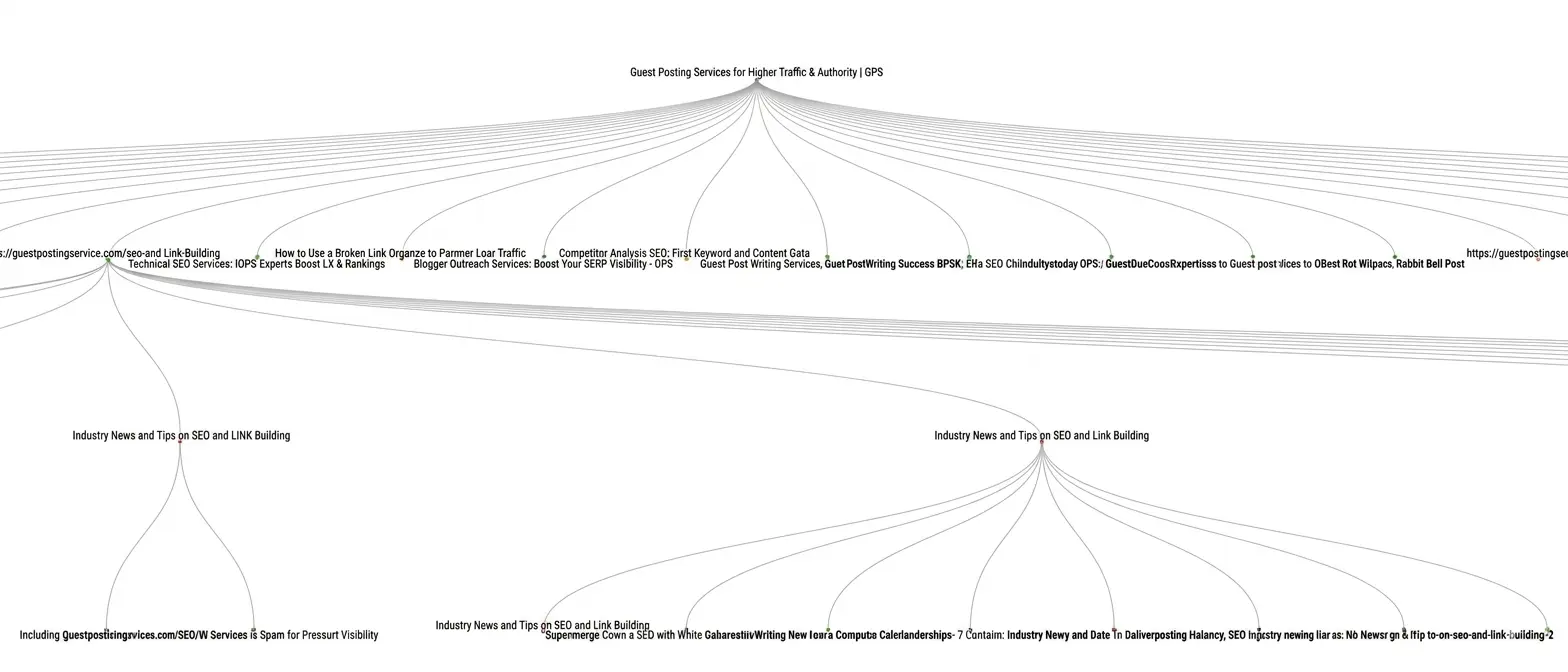
How to Audit Your Internal Link Structure for SEO
A strong internal link structure helps users and search engines move through your website. A proper audit can reveal more than broken links.
You can also find orphan pages, weak internal connections, redirecting URLs, and pages that need more relevant links.
For more useful insights, explore our other blog post, “Clean URL Structure Tips for Better SEO Performance”. Discover more to deepen your understanding.
1. Find Orphan Pages
An orphan page has no internal links pointing to it.
These pages can be hard for users and search engines to discover. Review your crawl report and identify pages that have no incoming internal links.
Add links from relevant pages when the content is still useful.
2. Check Crawl Depth
Crawl depth shows how many clicks it takes to reach a page from another part of your site.
Important pages should not be buried deep in the site structure. Review pages with high click depth and look for ways to connect them to relevant category, service, or pillar pages.
3. Review Internal Anchor Text
Anchor text gives users context about the linked page. It can also help search engines understand the relationship between pages.
Use clear and relevant anchor text.
Avoid using the same generic phrase for every link. Terms such as “click here” provide little context.
4. Content Silo Structure
A well-structured content silo model is essential for building topical authority and improving search engine understanding.
It typically includes:
- Pillar pages that target broad core topics
- Supporting blog content that expands subtopics
- Contextual internal links connecting related content
This structure strengthens relevance signals, improves indexing efficiency, and helps search engines understand semantic relationships between pages. It also enhances long-term ranking stability across keyword clusters.
5. Check Redirecting Internal Links
Look for internal links that point to 301 or other 3XX URLs.
Update these links to the final destination when possible. This removes an extra step and keeps your internal link structure clean. Internal link audits can also uncover excessive links to redirecting URLs.
6. Improve Content Connections
Connect pages that cover related topics.
For example, a technical SEO pillar page could link to supporting content about:
- Technical SEO audits
- Website crawlability
- XML sitemaps
- Site speed
- Canonical tags
- Broken internal links
These links help users explore related information and create a clearer content structure.
7. Analyze Broken Links with Tools
Advanced SEO teams use specialized tools to map and evaluate internal link structures at scale.
Common tools include:
- Ahrefs (Site Audit and internal link reports)
- SEMrush Site Audit
- Screaming Frog SEO Spider
- Google Data Studio (Looker Studio)
These tools help create a complete SEO map by analyzing link distribution, crawl depth, redirect chains, and structural weaknesses. They also highlight orphan pages and internal linking gaps that affect internal linking for SEO performance.
Common Internal Linking Mistakes That Create Broken Links
Broken internal links often result from avoidable technical and structural SEO errors. These issues weaken your internal linking strategy, disrupt crawlability, and reduce overall internal linking for SEO performance.
1. Ignoring URL Changes After Website Updates
When URLs are modified during content updates or redesigns without updating existing internal links, broken links are created instantly, leading to crawl errors and poor user experience.
2. Deleting Pages Without Implementing 301 Redirects
Removing pages without setting up proper 301 redirects results in 404 errors, loss of organic traffic, and broken internal link chains that interrupt link equity flow across the site.
3. Inconsistent URL Structure Across Pages
Frequent changes in URL slugs, formatting, or hierarchy create confusion for both users and search engines, negatively impacting navigation, indexing, and the overall internal linking system.
4. Over-Linking Irrelevant or Low-Value Pages
Excessive or unrelated internal links dilute page authority, reduce topical relevance, and confuse search engines about content hierarchy, weakening your overall SEO structure.
5. Poor Internal Linking Maintenance During Content Scaling
As websites grow, failing to regularly audit and update internal links leads to outdated references, broken pathways, and fragmented internal linking architecture, reducing long-term SEO effectiveness.
How Guest Posting Solution Helps Fix Broken Internal Links
Fixing broken internal links is not just technical cleanup; it is part of a larger SEO growth system.
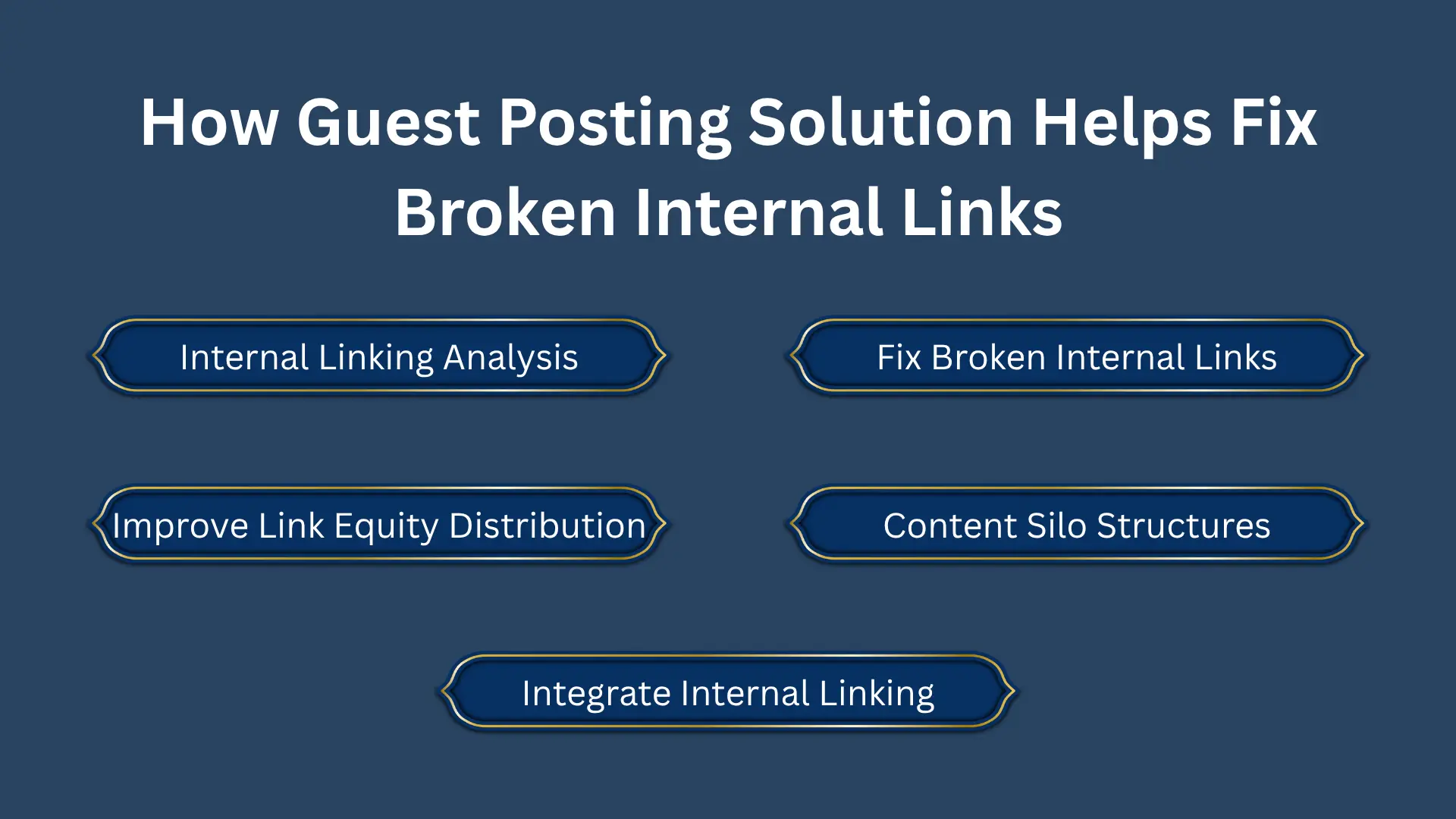
Guest Posting Solution helps businesses:
- Perform advanced internal linking analysis
- Fix broken internal links at scale
- Improve link equity distribution
- Strengthen content silo structures
- Integrate internal linking with guest posting strategies
This approach ensures that internal SEO structure and external authority building work together for maximum ranking impact.
Final Thoughts
Broken internal links may seem minor, but they significantly weaken SEO performance, crawlability, and authority flow. Fixing them improves both technical structure and content visibility.
A strong SEO strategy combines:
- Internal linking analysis
- SEO audit workflow
- Structured internal linking strategy
- Regular maintenance using SEO tools
Businesses that fix internal links consistently build stronger, more authoritative, and more scalable websites.
FAQs
How do I find broken internal links on my website?
You can find them using tools like Screaming Frog, Ahrefs, SEMrush, or Google Search Console by running a full internal linking analysis.
What is the best way to fix broken internal links?
The best methods include updating URLs, adding 301 redirects, restoring pages, or removing irrelevant links.
How often should I check for broken internal links?
SEO experts recommend checking during monthly audits or after any major website update or content restructuring.