Bad Backlinks: How to Find, Fix & Avoid Harmful Links
A backlink can look suspicious without actually being harmful. A low-authority website, an unfamiliar referring domain, or a link with little SEO value isn’t automatically a reason to panic. The real concern is a backlink that forms part of a manipulative, spammy, irrelevant, or deliberately engineered pattern.
That distinction matters because Google can identify and neutralize many unnatural links without requiring site owners to intervene. Its spam policies specifically target links created primarily to manipulate search rankings, including certain paid links, automated links, excessive link exchanges, low-quality directory links, and other manipulative practices.
So, what should you actually do when you find bad backlinks?
You need to identify the risk, determine where the link came from, assess the wider pattern, and then decide whether to monitor, remove, or disavow it.
What Are Bad Backlinks?
Bad backlinks are inbound links that provide little legitimate value and may be irrelevant, manipulative, spammy, or created primarily to influence search rankings.
Not every low-quality backlink is a bad backlink in the same sense. A small website with limited authority can still publish a genuine, relevant reference to your business. Likewise, an unexpected link from an unfamiliar domain isn’t proof of a penalty. The stronger warning signs involve intent, relevance, placement, and patterns.
Google defines link spam as creating links to or from a site primarily to manipulate search rankings. Its examples include buying or selling links for ranking purposes, automated link creation, excessive link exchanges, low-quality directories, manipulative widget links, widely distributed footer links, and optimized links in forum comments.
Can Bad Backlinks Hurt SEO?
They can, but the answer isn’t as simple as “bad link equals ranking penalty.”
Google says its systems are designed to detect spam and manipulative practices. Sites that violate its spam policies may rank lower or fail to appear in search results, and Google can also take manual action when necessary.
At the same time, Google says that in most cases it can assess which links to trust without additional guidance. Most websites therefore don’t need to use the disavow tool.
That creates three practical scenarios:
- Google ignores or neutralizes the link. A strange backlink may have little or no effect on your rankings.
- The link adds no meaningful SEO value. It may simply sit in your backlink profile without helping your site.
- The link is part of an artificial pattern. A large number of manipulative links, especially links deliberately created to influence rankings, deserves closer investigation.
The mistake is treating every suspicious backlink as an emergency.
10 Common Types of Bad Backlinks
Bad backlinks can appear in several forms. What matters is not simply where the link appears, but why it exists and whether it forms part of an unnatural pattern.
1. Links From Private Blog Networks
Private blog networks, or PBNs, use networks of websites to create links intended to influence search rankings.
A PBN link isn’t automatically identifiable from one visual clue. Look for patterns such as unrelated websites sharing similar content, ownership signals, publishing behavior, or unusually commercial outbound linking.
If you deliberately built PBN links, they deserve closer attention than a random spam link you never requested.
2. Paid Links Designed to Pass Ranking Credit
Paid advertising isn’t inherently a problem. Google recognizes that paid links can be part of legitimate advertising and sponsorship.
The issue is paying for links specifically to manipulate ranking signals.
Google recommends using rel=”sponsored” for paid placements, while rel=”nofollow” remains an acceptable way to qualify such links. That distinction is worth remembering before labeling every sponsored placement as a bad backlink.
3. Automated Backlinks
Thousands of links created through software, automated submission systems, or bulk backlink services can create an unnatural pattern.
Google specifically lists links generated by automated programs or services among examples of link spam. High volume doesn’t automatically mean a penalty, but deliberately generating large quantities of links for ranking purposes is a serious warning sign.
4. Link Farms and Link Networks
Link farms exist primarily to create or exchange backlinks rather than publish useful information.
A website that contains pages packed with unrelated businesses, commercial anchor text, and reciprocal links is worth investigating. The problem becomes clearer when the same pattern appears across many connected domains.
5. Spammy Forum and Blog Comment Links
Comment links can be legitimate when they contribute to a genuine discussion. The problem is the classic: “Great article! Check out [keyword-rich commercial link].”
Google specifically identifies optimized links in forum comments and signatures as an example of link spam. A handful of natural community references isn’t the same as a campaign of keyword-stuffed comment links.
6. Low-Quality Directory Links
Directories aren’t universally bad. Industry-specific, local, professional, and genuinely useful directories can still have a legitimate purpose.
The concern is a directory created mainly to publish links, particularly when it contains thousands of unrelated websites and provides little value to visitors. Google lists low-quality directory and bookmark site links among its examples of link spam.
7. Sitewide Footer or Template Links
One link appearing naturally on a website is very different from thousands of identical keyword-rich links appearing in every footer.
Widely distributed links in footers and templates are specifically mentioned in Google’s link-spam guidance.
8. Over-Optimized Anchor Text
If a website receives an unusually concentrated number of exact-match commercial anchors, investigate the source.
For example, repeatedly building links using the exact phrase “best affordable accounting software” is very different from naturally receiving branded, URL, descriptive, and partial-match references.
Anchor text should be evaluated alongside the referring domains and link context, not in isolation.
9. Irrelevant Contextual Links
Relevance matters. A backlink from a technology publication to a cybersecurity company can make sense. A backlink from an unrelated recipe website to an industrial equipment company needs more context.
One irrelevant mention doesn’t automatically make a link harmful. A large network of unrelated links created around commercial keywords is much more concerning.
10. Thin, Scraped, or Manipulative Websites
Some websites exist largely to publish copied, automatically generated, or extremely thin pages containing outbound links.
If a referring domain has little genuine content, no clear audience, dozens of unrelated commercial links, and a pattern of publishing pages solely to place links, investigate it before counting the link as a valuable SEO asset.
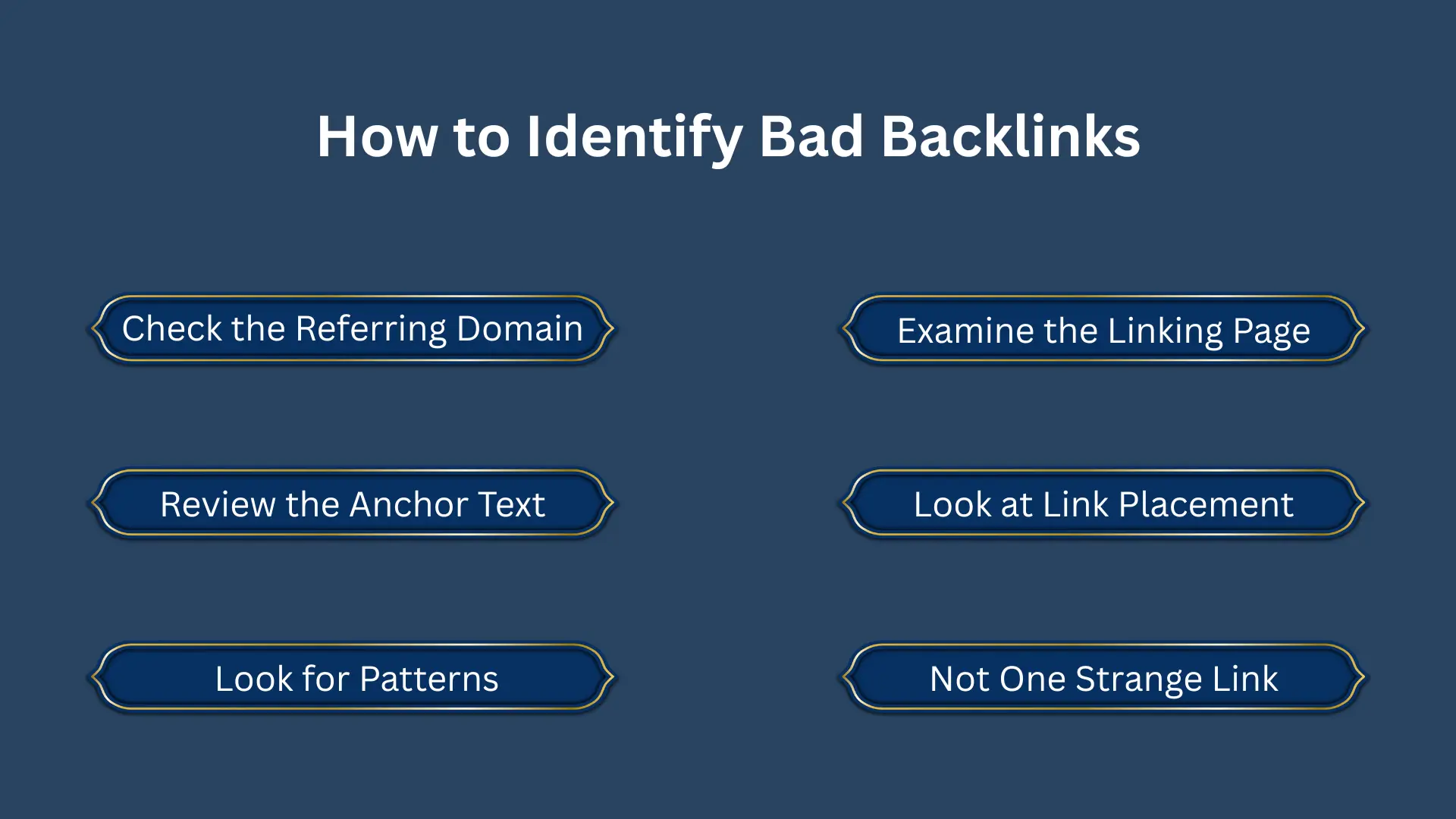
How to Identify Bad Backlinks
You don’t need to label every backlink as “good” or “toxic” immediately. Start by examining the evidence.
1. Check the Referring Domain
Look at the website sending the link. Ask:
- Is the website relevant to your industry?
- Does it appear to have a genuine audience?
- Does it publish useful content?
- Are its pages indexed?
- Does it link to hundreds of unrelated businesses?
- Does the site appear to exist mainly for link placement?
A third-party SEO metric can help prioritize your review, but it shouldn’t make the final decision for you.
2. Examine the Linking Page
Open the actual page containing your backlink. Check whether the surrounding content makes sense. Does your website genuinely add something useful to the reader?
A contextual mention within a relevant article is fundamentally different from a link hidden inside a page containing dozens of unrelated commercial links.
3. Review the Anchor Text
Look across your backlink profile rather than judging one anchor.
A healthy profile can contain branded anchors, URLs, names, descriptive phrases, and other natural variations. A suspicious concentration of exact-match commercial anchors deserves further investigation, particularly if the links came from paid or automated campaigns.
4. Look at Link Placement
Where the link appears matters. A relevant editorial citation inside useful content has a different context from a keyword-rich link in a footer, sidebar, template, comment, or widget distributed across hundreds of websites.
Google explicitly identifies several of these distributed and manipulative placements as examples of link spam.
5. Look for Patterns, Not One Strange Link
This is one of the most useful rules in backlink analysis.
- One unfamiliar domain isn’t necessarily a problem.
- One low-authority website isn’t necessarily a problem.
- One irrelevant link isn’t necessarily a problem.
A coordinated pattern of paid, automated, irrelevant, or keyword-heavy links is much more meaningful.
When Should You Use Google’s Disavow Tool?
The disavow tool is not a routine backlink-cleaning button.
Google describes it as an advanced feature and warns that using it incorrectly can potentially harm a site’s performance in Search. Its current guidance says disavow is appropriate when a site has a considerable number of spammy, artificial, or low-quality links and those links have caused, or are likely to cause, a manual action.
If you believe you have a serious unnatural-link problem, Google’s recommended process is to try removing the links first. If you can’t get them removed, disavow may be appropriate in the circumstances Google describes.
Don’t use disavow simply because an SEO platform gives a backlink a frightening “toxic” label.
Those third-party scores are useful for finding candidates for review. They aren’t Google’s verdict.
How to Fix a Bad Backlink Profile
A practical cleanup process starts with data, not assumptions.
1. Collect Your Backlink Data
Use sources such as Google Search Console alongside established backlink analysis platforms. Look at referring domains, linking pages, anchors, target URLs, link attributes, and acquisition history.
2. Group Links by Risk
Don’t inspect thousands of backlinks with the same level of scrutiny. Prioritize links with combinations of suspicious signals, such as irrelevant domains, commercial anchors, sitewide placement, paid acquisition, and obvious network patterns.
3. Remove Links You Can Control
If you created the link or have access to the referring website, request removal where appropriate. Keep records of outreach and removals. Documentation can be useful if you later need to demonstrate that you’ve taken corrective action.
4. Assess Whether Disavow Is Necessary
Only move toward disavow after assessing the scale, origin, and severity of the problem. Google’s own guidance should be the reference point here, not an SEO tool’s automated score.
5. Monitor the Profile
Backlink cleanup isn’t a one-time exercise if your website continues acquiring links. Monitor new referring domains and investigate unusual spikes, repeated anchor patterns, or sudden waves of irrelevant links.
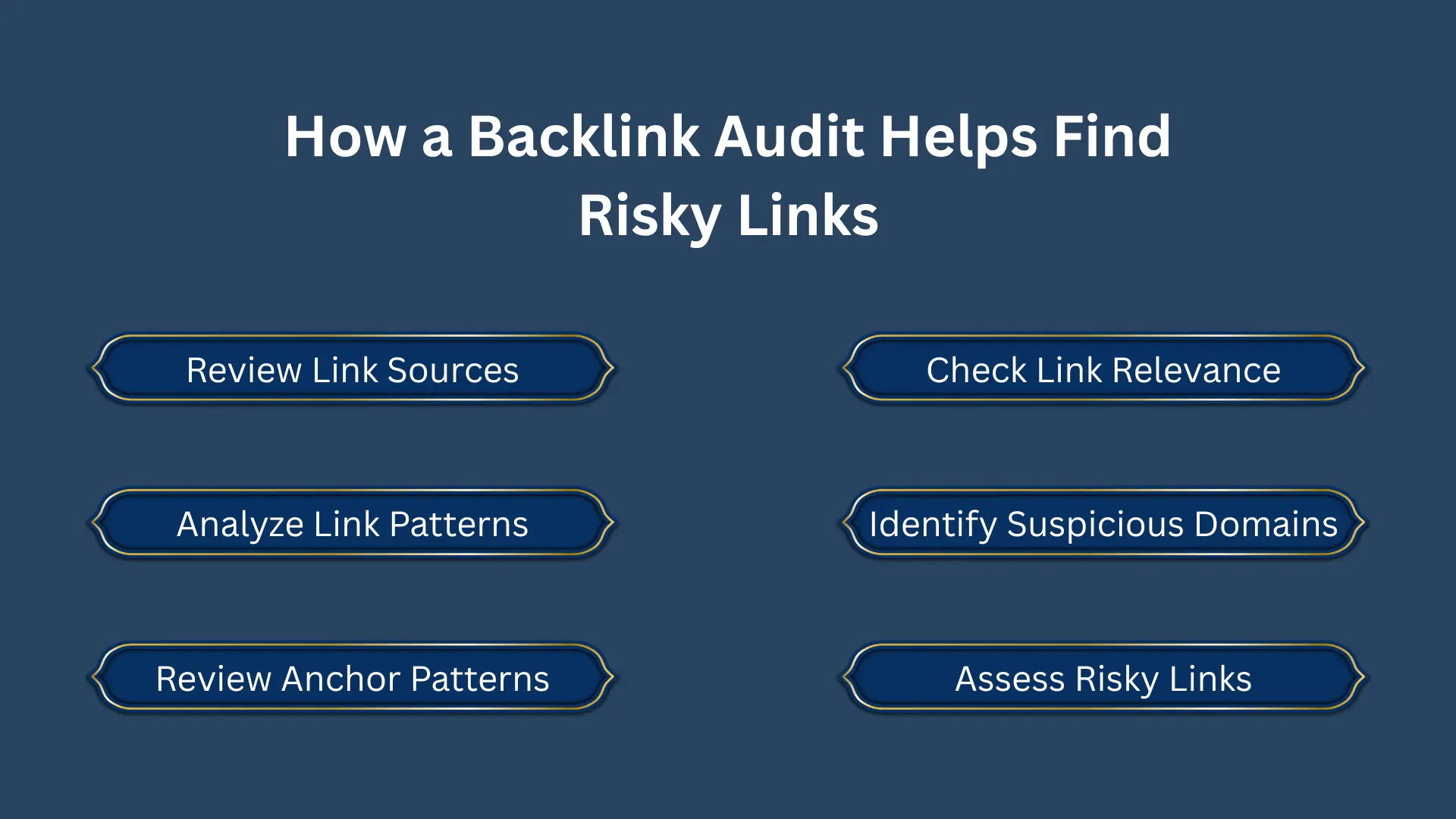
How a Backlink Audit Helps Find Risky Links
A professional backlink audit can turn a large, messy link database into a practical risk assessment. Instead of asking only, “How many backlinks do I have?” an audit should ask:
- Where are these links coming from?
- Why were they created?
- Are they relevant?
- Do multiple links show the same manipulative pattern?
- Which links actually deserve action?
This distinction matters for businesses that have used multiple SEO providers, purchased backlink packages in the past, or inherited an established domain with years of link history.
A thorough backlink audit can help identify suspicious referring domains, unnatural anchor patterns, questionable placements, and link-building practices that warrant further investigation.
For businesses that aren’t sure which links to keep, investigate, remove, or escalate, a professional backlink audit service can provide a structured assessment instead of relying on automated toxicity scores alone.
Build a Backlink Profile You Can Defend
Bad backlinks aren’t best handled through panic or mass disavowal.
The better approach is evidence-based: identify suspicious patterns, separate genuinely risky links from harmless low-value ones, remove links you can control, and use Google’s disavow process only when its documented criteria make it appropriate.
Your future link-building strategy matters just as much. Relevant websites. Useful content. Natural anchor text. Editorial context. Transparent outreach.
That’s how you build a backlink profile that supports long-term SEO rather than creating another cleanup project.
If your existing backlink profile contains years of mixed-quality links or you’re unsure which domains deserve attention, Guest Posting Solution’s backlink audit service can help turn that data into prioritized actions. Once the profile is understood, the next step is building relevant, quality backlinks through a strategy designed around sustainable growth rather than link volume.
Conclusion
Bad backlinks need careful assessment, not automatic removal. Review each link for relevance, placement, anchor text, acquisition method, and wider patterns before taking action. Remove links you control when appropriate, and use Google’s disavow tool only when its criteria apply.
A professional backlink audit can make this process more accurate by separating harmless low-value links from genuine risks. Once your profile is clean, focus on earning relevant, editorial backlinks that support sustainable SEO growth without relying on manipulative link-building tactics.
FAQs
Are bad backlinks harmful to SEO?
They can be, particularly when they form part of an artificial or manipulative link pattern. However, not every low-quality or unwanted backlink causes a ranking problem. Google says its systems can assess and ignore many links without site-owner intervention.
How do I know if I have bad backlinks?
Review the referring domain, linking page, anchor text, placement, relevance, acquisition method, and wider pattern. Several suspicious signals together are more meaningful than one low SEO metric.
Can competitors create bad backlinks to my website?
Anyone can create a link pointing to your website, so you may encounter backlinks you never requested. Don’t assume that a competitor created them or that every unsolicited link will hurt your rankings. Assess the actual pattern and evidence first.
How often should I audit backlinks?
The right frequency depends on the size and activity of your website. Sites running active link-building campaigns, operating in competitive industries, or managing a large backlink profile can benefit from more regular monitoring.